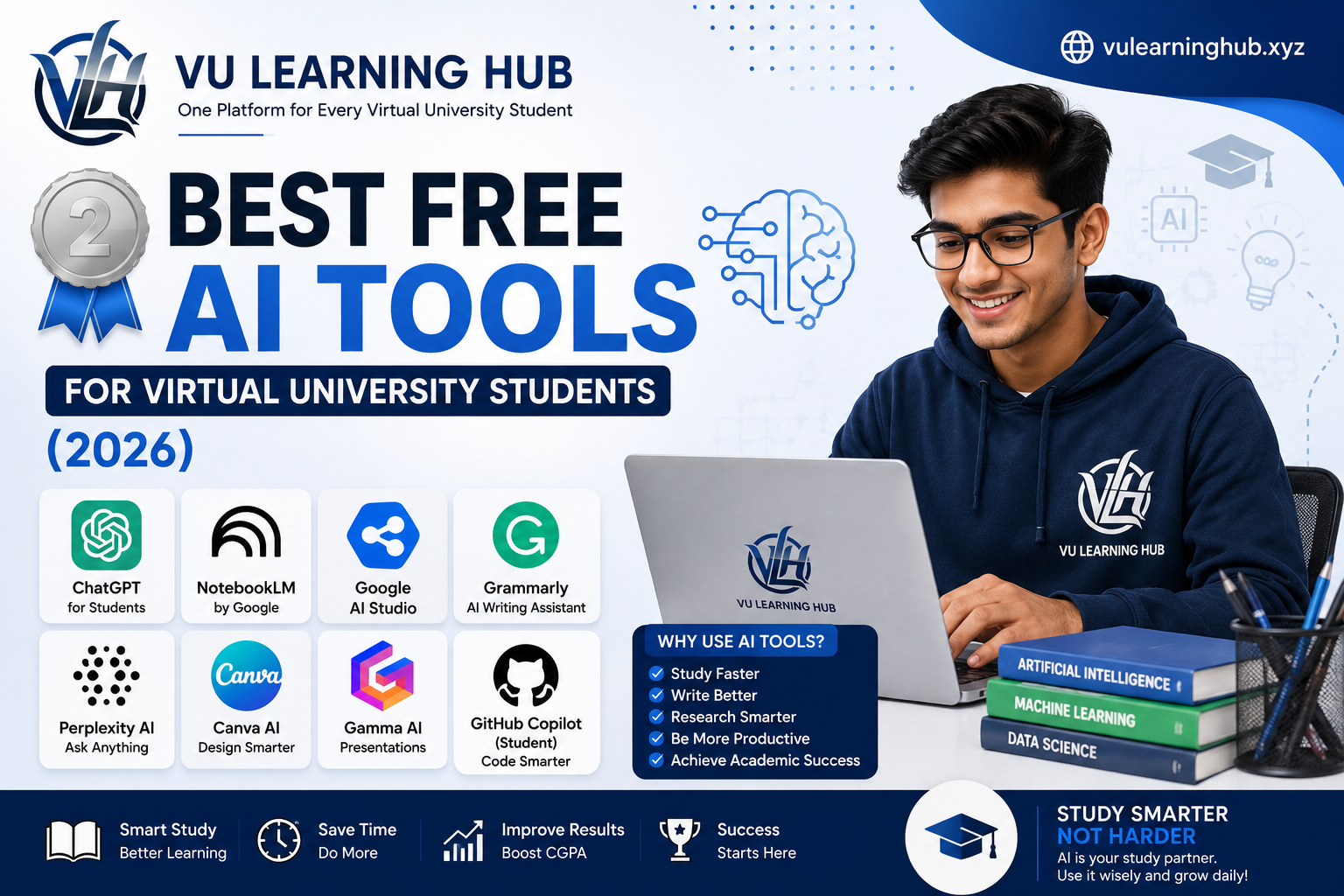
Virtual University life is not easy. You are studying alone, juggling assignments, GDBs, quizzes, and final term prep, often without a classroom or a teacher sitting next to you. This is exactly where free AI tools for students have become a real lifesaver. In 2026, AI is no longer a luxury feature for tech students. It has become a practical study partner that helps VU students understand lectures faster, write better assignments, revise smarter, and manage time more efficiently.
This guide is written specifically for VU and VULMS students who want free, reliable, and beginner-friendly AI tools. We are not listing random apps here. Every tool mentioned below has a clear use case for VU coursework, whether it is summarizing handouts, generating quiz questions, improving assignment writing, or building presentations for viva and GDB tasks. If you are new to using AI for studies, check our detailed guide on how VU students can use AI tools without violating plagiarism rules before you start applying these tools to your assignments.
Why VU Students Need AI Tools in 2026
Virtual University students face a unique kind of academic pressure. There is no physical classroom, no instant access to a teacher, and most learning happens through video lectures and PDF handouts. Many students struggle to keep up, especially when handling multiple courses in one semester along with a job or family responsibilities. This is where free AI tools for students genuinely change the game.
AI tools do not replace your effort or your understanding. What they do is remove the friction. Instead of spending three hours reading a 40 page handout, you can get a clear summary in minutes. Instead of staring at a blank page for your assignment, you can get a structured starting point that you then rewrite in your own words. Instead of guessing what might appear in your quiz, you can generate practice questions based on your own course material.
The key is using these tools the right way. VU has strict plagiarism policies, and copying AI generated text directly into your assignment is risky and against academic integrity rules. The smart approach is to use AI for understanding, structuring, and revising, not for blind copy paste. Students who use AI tools responsibly tend to score better because they understand the concept, not just the answer. Before submitting anything, always cross check with your VU assignment solution guide to make sure your work matches the marking criteria and university format requirements.
ChatGPT for Students: The All Rounder Study Assistant
ChatGPT remains one of the most useful free AI tools for students, and for good reason. It can explain difficult concepts in simple language, break down complex theories into everyday examples, and help you understand topics your instructor rushed through in the video lecture. If you are stuck on a computer networks concept or a management theory, you can ask ChatGPT to explain it like you are a beginner, and it will adjust its answer accordingly.
For VU students specifically, ChatGPT for students works best as a concept clarifier and study buddy, not as an assignment writer. You can paste a portion of your handout and ask it to simplify the language, create bullet point notes, or generate a few practice questions. This method saves hours of manual note making, especially during exam weeks when time is short.
One practical use case is GDB preparation. Graded Discussion Boards require you to present a well reasoned point of view within a short deadline. You can ask ChatGPT to help you brainstorm angles for the topic, then write your own response based on those ideas. This keeps your writing original while giving you a strong starting structure. The free version of ChatGPT is more than enough for most VU coursework needs, so there is no pressure to upgrade to a paid plan unless you are doing heavy research work. Pair this with our GDB writing tips for VU students to craft answers that actually score well with your instructor.
NotebookLM: Turn Your VU Handouts Into a Smart Study Companion
NotebookLM is one of the most underrated free AI tools for students, and VU learners especially benefit from it. Unlike general chatbots, NotebookLM is built specifically to work with your own uploaded documents. You upload your VU handout, lecture slides, or PDF notes, and it becomes a source aware assistant that only answers based on what you gave it.
This matters a lot for VU students because your exams are based on your own course content, not general internet knowledge. When you upload your handout into NotebookLM, you can ask it to summarize a chapter, explain a specific page, or generate a quick quiz based only on that material. This reduces the risk of getting generic or irrelevant answers that do not match your actual syllabus.
A smart way to use NotebookLM before midterms is to upload all your handouts for one subject and ask it to create a consolidated summary of the most important topics. This gives you a bird's eye view of the entire course, which is extremely helpful when you have limited days left before the exam. Many VU students also use it to generate audio style overviews they can listen to while doing other tasks, which works well for auditory learners. If you want a ready structure for revision, our VU midterm preparation checklist pairs perfectly with this tool.
Google AI Studio: Free Access to Powerful AI Models
Google AI Studio is a lesser known gem among free AI tools for students, mainly because it feels more technical at first glance. But once you get comfortable with it, it becomes incredibly useful for VU students studying computer science, software engineering, or any course that touches on programming and data analysis.
Google AI Studio gives you free access to Google's Gemini models with generous usage limits, which is great for students who need more than basic chatbot conversations. You can use it to debug code for your programming assignments, understand error messages, or get step by step explanations of algorithms you are struggling with. For BSCS and BSSE students working on final year projects, it is also useful for generating documentation drafts or explaining unfamiliar frameworks.
What makes Google AI Studio stand out is its ability to handle longer documents and more complex prompts compared to some other free tools. If your assignment involves analyzing a long research paper or case study, this tool can process more content at once without losing context. It does have a slightly steeper learning curve than ChatGPT, so give yourself a little time to explore its interface before relying on it for exam week tasks. Combine it with our VU programming assignment guide for a smoother coding workflow.
Grammarly: Polishing Your Assignments Before Submission
No matter how good your ideas are, weak grammar and awkward sentence structure can cost you marks. This is where Grammarly earns its place on this list. It is one of the most practical free AI tools for students who want to submit clean, professional, and error free assignments without hiring a proofreader.
Grammarly checks your writing for grammar mistakes, spelling errors, punctuation issues, and even tone. For VU students, this is particularly important because many assignments are graded partly on presentation and language quality, not just content accuracy. A well written assignment with correct grammar naturally looks more credible to your instructor.
Beyond basic corrections, Grammarly also flags overly wordy sentences and suggests clearer alternatives, which helps you write more concisely. This is especially useful for GDBs and short answer questions where word limits matter. The free version covers most of what a VU student needs, including grammar, spelling, and basic clarity suggestions. Before you hit submit on any assignment, running it through Grammarly takes less than five minutes and can genuinely improve your final grade. It is a small habit that makes a noticeable difference over an entire semester, especially when combined with our assignment formatting guide for VU students.
Perplexity AI: Research Without the Endless Scrolling
Perplexity AI has quickly become one of the best free AI tools for students who need quick, accurate, and source backed information. Unlike a regular search engine where you get ten links and have to dig through each one, Perplexity gives you a direct answer along with the sources it used, so you can verify the information yourself.
This is extremely valuable for VU assignments that require research, such as marketing case studies, economics analysis, or management reports. Instead of spending an hour scrolling through search results, you can ask Perplexity a focused question and get a well organized answer with citations in a fraction of the time. You can then use those sources to read further and write your assignment in your own words, which keeps your work original and properly researched.
Perplexity is also useful for staying updated on current examples relevant to your coursework. If your instructor asks for a real world example related to a business theory or a recent technology trend, Perplexity can quickly point you toward relevant and recent information. Just remember that the final writing should always be your own interpretation, not a direct copy of what the tool generates. Treat it as a research assistant, not a ghostwriter, and your assignments will remain both original and well informed.
Canva AI and Gamma AI: Building Presentations That Actually Impress
Presentations are a regular part of VU coursework, especially for courses involving projects, vivas, and group assignments. This is where Canva AI and Gamma AI make a real difference. Both are free AI tools for students that turn plain text into visually appealing slides within minutes, saving hours of manual design work.
Canva AI works well if you already have a rough idea of your content and just need help with design. Its Magic Design feature can turn a basic outline into a full slide deck with matching colors, fonts, and layouts. This is perfect for VU students who are confident about their subject matter but do not have time to fuss over design details. You simply input your key points, and Canva AI arranges them into a clean, professional looking presentation.
Gamma AI takes a slightly different approach. You can literally type a topic or paste your assignment content, and Gamma AI will generate an entire structured presentation, including headings, bullet points, and even suggested visuals. This is especially helpful for last minute viva preparation when you need a presentable slide deck quickly. Both tools have generous free plans that cover most student needs without requiring payment. For students who often present project work, learning to use these two tools together, Canva AI for polish and Gamma AI for speed, can seriously upgrade your academic presentations. Check our VU project presentation tips for more ideas on structuring your slides effectively.
GitHub Copilot for Students: Free Coding Help for CS and SE Majors
If you are a BSCS, BSSE, or BSIT student at Virtual University, GitHub Copilot deserves a special mention on this list of free AI tools for students. Through the GitHub Student Developer Pack, VU students with a valid university email can access GitHub Copilot for free, which is normally a paid tool for professional developers.
GitHub Copilot works directly inside your code editor and suggests code as you type, based on the context of what you are building. For students working on programming assignments, data structures projects, or final year software projects, this tool can significantly speed up development while also teaching good coding practices by example. When Copilot suggests a piece of code, take a moment to understand why it works rather than blindly accepting it. This turns the tool into a learning resource rather than just a shortcut.
Setting up GitHub Copilot for students requires verifying your student status through GitHub Education, which usually involves your VU student ID and university email. Once verified, you get free access for the duration of your studies, which is a huge advantage for computer science majors who need consistent coding support throughout their degree. Many VU students juggling multiple programming courses in one semester find this tool essential for managing coding workload without burning out. If you are new to setting this up, our step by step GitHub Student Pack guide for VU students walks you through the entire verification process.
How to Use AI Tools Without Getting Flagged for Plagiarism
This is the part every VU student needs to take seriously. Virtual University has a zero tolerance policy toward plagiarism, and submitting AI generated text as your own work can lead to serious consequences, including failed assignments or disciplinary action. Free AI tools for students are meant to support your learning process, not replace your own writing entirely.
The safest approach is to use AI tools for understanding and structuring, then write the final content yourself in your own words. For example, if ChatGPT explains a concept to you, do not copy that explanation directly. Instead, understand the idea and rewrite it in a way that reflects your own understanding and writing style. This not only keeps you safe from plagiarism detection but also helps the information actually stick in your memory, which matters when the same concept appears in your exam.
Another good practice is to use AI tools like Grammarly only for grammar and clarity checks after you have written your own draft, rather than generating the entire content from scratch. Similarly, tools like NotebookLM and Perplexity should be used for research and summarization, with your final assignment reflecting your personal analysis and voice. VU instructors are increasingly familiar with AI generated writing patterns, so assignments that sound too polished or generic can raise red flags even if they technically pass a plagiarism checker. Always run your final work through VU's Turnitin system mentally by asking yourself if this genuinely sounds like something you wrote. For more detailed guidance, read our complete breakdown on VU plagiarism policy and how to stay safe while using AI.
Choosing the Right AI Tool for Your Study Needs
With so many free AI tools for students available in 2026, it helps to think about which tool matches which task rather than trying to use everything at once. If you need quick concept explanations, ChatGPT is your best starting point. If you are working directly with your own handouts and want summaries based specifically on your course content, NotebookLM is the better choice. For coding heavy courses, Google AI Studio and GitHub Copilot cover different needs, with the former being great for explanations and the latter for hands on code assistance.
For writing quality, Grammarly should become a habit rather than an occasional tool, since clean writing directly affects your grades. When it comes to research, Perplexity AI saves significant time compared to traditional search methods, especially for assignments requiring current examples or data. And when presentations are due, Canva AI and Gamma AI together can turn a stressful last minute task into something manageable within an hour.
The real skill is not knowing that these tools exist, but knowing when to use each one. A common mistake VU students make is relying on a single tool for everything, which leads to generic results that do not fit the specific requirement of the task. Instead, treat these tools as a toolkit, picking the right one based on whether you need explanation, research, writing polish, coding help, or visual presentation. Over a semester, this combination of tools can genuinely reduce your study stress while improving the quality of your submitted work. Bookmark our VU semester study planner to organize which tool you will use for which task throughout your term.
Final Thoughts
Free AI tools for students have genuinely changed how Virtual University students approach their coursework in 2026. From ChatGPT explaining tricky concepts to NotebookLM summarizing your handouts, from Grammarly polishing your final draft to GitHub Copilot supporting your coding assignments, each tool covers a specific need in your academic journey. Used correctly, they help you study smarter, not just faster, and that distinction matters when it comes to actual exam performance.
The most important takeaway is balance. AI tools should support your learning, not replace the thinking process that helps you actually understand your courses. VU rewards students who grasp concepts deeply, and these tools, when used responsibly, can help you get there faster while keeping your work original and exam ready.
Frequently Asked Questions
Are these AI tools completely free for VU students?
Yes, all the tools mentioned offer solid free plans suitable for regular VU coursework. GitHub Copilot is free specifically through the GitHub Student Developer Pack for students with a valid university email.
Can I use ChatGPT to write my VU assignments directly?
It is not recommended. Use ChatGPT to understand concepts and structure your ideas, then write the final assignment in your own words to avoid plagiarism issues and stay within VU's academic integrity policy.
Which AI tool is best for VU exam preparation?
NotebookLM works particularly well since it generates summaries and practice questions directly from your uploaded handouts, keeping your revision focused on actual VU course content rather than generic information.