Welcome to the Virtual University of Pakistan!
If you have recently taken admission in the Virtual University of Pakistan (VU) and your classes have just started, you may face many difficulties in the beginning. You might be thinking: how do I use the LMS? Where do I watch lectures? How do I download handouts? When do I submit assignments? How do I avoid missing quizzes?
First of all, do not worry at all. The VU study system may feel a little different in the start, but once you understand the proper method, you can easily manage your studies.
In this complete guide, we will explain every important thing for VU new students step by step. Bookmark this article so that whenever you face any problem, you can check it again.
1. What Is VU LMS and What Is It Used For?
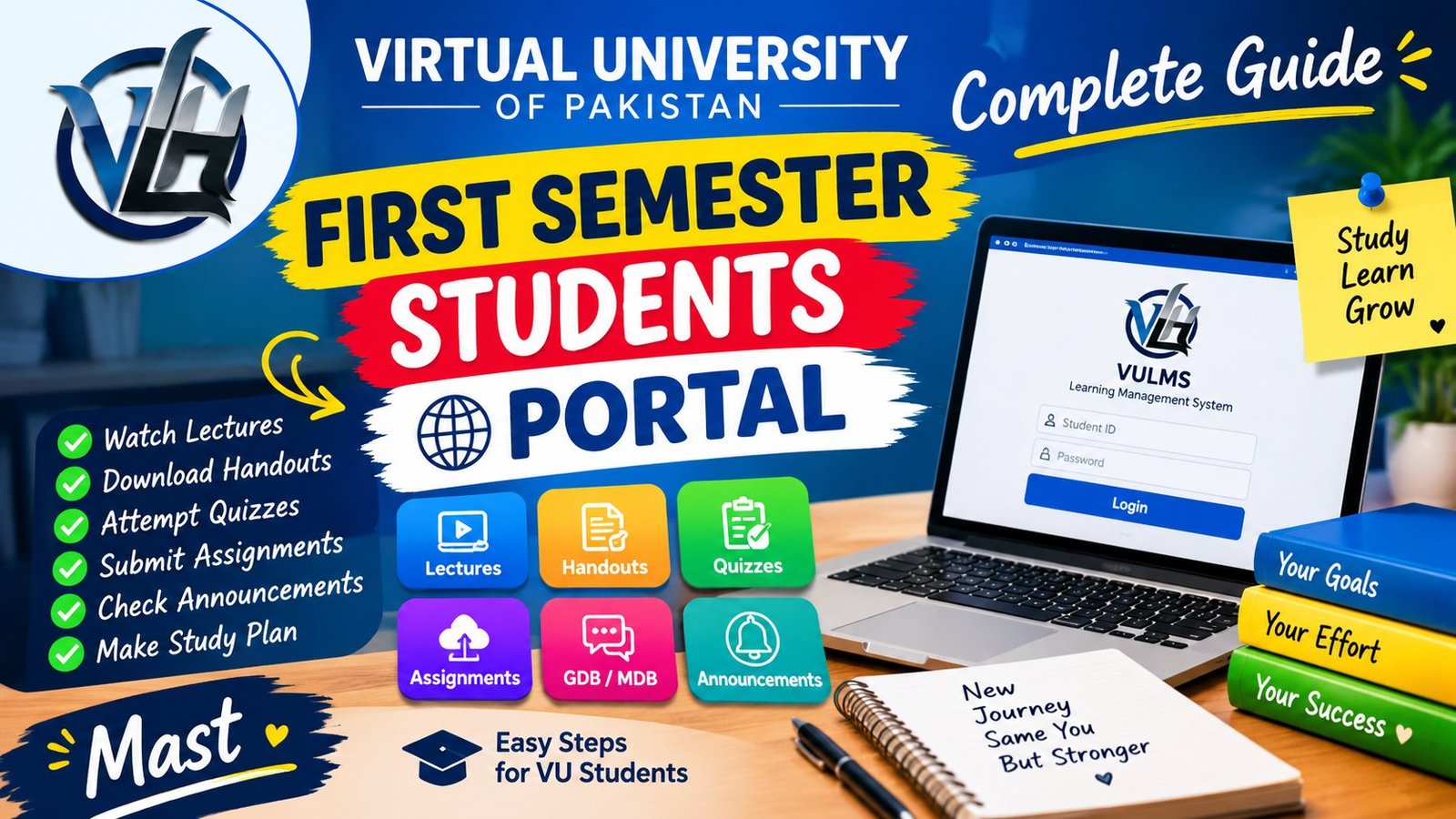
LMS stands for Learning Management System. In Virtual University, the LMS is your main online study platform. Here you get video lectures, learning material, and academic activity information related to your enrolled courses.
You can open your LMS here: Official VULMS: https://vulms.vu.edu.pk/
Use the Student ID and password given by the university to log in.
On the LMS, you normally get these facilities: Online video lectures. Course information and lecture details. Handouts and available learning material. Assignments and their submission. Online quizzes. Graded Discussion Boards (GDBs). Moderated Discussion Boards (MDBs). Announcements and important notices. Course-related academic information. Grades and results, where available.
That is why checking the LMS regularly is very important for every VU student. Just watching lectures is not enough. You also have to keep an eye on your courses' academic activities and deadlines.
2. How to Watch Lectures on the LMS?
The most common question from new students is: where does the lecture open from, and what does the lecture number mean?
When you log in to the LMS, open the section of your enrolled courses. In front of your courses or in their lecture section, you may see the instructor's picture and the lecture number. The LMS layout may look different depending on the course or interface.
How to watch a lecture: 1. Log in to the LMS. 2. Select your required course. 3. In the lecture section, click the lecture number given in front of the instructor's picture. 4. If the lecture video opens, play it. 5. Watch the lecture completely with focus and note down important points.
For example, if you are studying a Mathematics course and you want to watch Lecture 5, open Lecture 5 of your course.
The lecture number helps you understand the lecture sequence. So try to watch lectures in order and do not skip any important topic.
If the video does not open, check your internet connection, refresh the page, and try again.
3. How to Check Complete Details of a Lecture?
Watching only the lecture video is not enough. It is also important to understand what is being taught in that lecture.
If you want to see a lecture's topic, title, details, or its related learning material, open the lecture details or content section of the course.
Depending on your LMS layout, clicking the blue line or lecture title shown with the instructor's picture may open additional details of the lecture.
In the available information, you may find these things: Lecture title and topic. Lecture number. Details related to the topic. Handouts or downloadable study material. Extra learning links, if provided.
For example, in Mathematics, Algebra, Integration, and Derivatives are different topics.
If you have trouble understanding Derivatives, check the lecture details to identify the relevant lecture. Then watch that lecture again and practice with the related handout.
Important tip: if you do not understand the name of a topic, note it down. Later, revise that topic with the help of the handout, textbook, or relevant learning material.
4. What to Do If Lectures Are Available for Some Courses but Not Others?
This is a very important point for new students. At the start of the semester, lectures and activities of your courses may appear at different stages. Some courses' lectures may be available, while some other course's required lecture may not be visible to you yet.
There is no need to panic in this situation, but checking from your side is important.
First, follow these steps: 1. Check your enrolled courses list. 2. See the available lecture sequence of each course. 3. Check your study plan and lecture schedule. 4. Keep an eye on LMS announcements and course-related notices. 5. Keep completing the lectures that are available on time. 6. If any required lecture or course material is not available as per schedule, get guidance from the relevant course instructor or official VU support.
Remember, one course not having a lecture available does not necessarily mean there is a problem with your admission or LMS account. But do not ignore any issue either. If the problem continues, report it on time.
5. How to Follow the VU Study Plan and Lecture Schedule?
Virtual University provides a study plan and lecture schedule to help students with time management. The VU recommended time plan helps you understand which course and lecture you should study and when.
Make your daily routine keeping in view the credit hours of each course and the semester workload.
For example, if two courses' lectures are scheduled in one day, reserve separate time for both courses. On some other day, if three courses have lectures, divide them according to your available time.
This is only an example of making a routine. Follow your actual schedule according to the university's recommended time plan and available course information.
Make your daily study routine like this: First, complete the scheduled lectures. After each lecture, revise the important points. Read the relevant handout topic. In Mathematics and practical courses, solve questions. Check pending assignments and upcoming quizzes. At the end of the day, note down the next day's tasks.
You do not need to complete everything in one day. But if you keep doing a little work daily, the workload will not pile up too much by the end of the semester.
Important: follow the recommended lecture timing. If you cannot watch a lecture at the scheduled time, check its availability and course schedule in the LMS. Do not assume the same access rule for every lecture.
6. Check LMS Announcements Regularly
Announcements are very important for VU students. Important university and course-related updates may be shared through announcements. That is why just opening the LMS to watch lectures is not enough.
In announcements, you may get different types of information, such as: Welcome messages and semester updates. Assignment announcements. Quiz opening and closing dates. GDB topics and submission deadlines. Important academic instructions. Course-related changes or notices. Examination and semester updates.
Every student should check LMS announcements at least once daily. Even if you are busy, regularly review the upcoming deadlines.
When an important announcement comes, note its date and deadline in your notebook or mobile calendar. This way, you will face fewer last-minute problems.
7. What Are Quizzes and Why Should You Not Miss Them?
In VU, quizzes can be an important part of the semester's continuous assessment. Through quizzes, your understanding and lecture preparation are assessed. Quiz marks can affect your final grade according to your course's assessment structure. So do not ignore quizzes thinking they are a small activity.
What to do before attempting a quiz? 1. Check the quiz announcement in the LMS. 2. Note the quiz opening and closing date. 3. Prepare the relevant lectures and handouts. 4. Check the available time and instructions for the quiz. 5. Keep your internet connection stable before starting the quiz. 6. Select answers carefully and confirm the submission status.
Do not wait for the last minute to attempt the quiz. You may face problems due to internet issues, electricity problems, or some technical difficulty.
Give special attention to practical courses' quizzes. If your course is practical, computer-based, or lab-related, read its assessment instructions very carefully. Some courses may have extra practical activities, attendance, or specific assessment requirements. Every course does not have the same rules.
If you get any instruction about 70% quiz participation or Red Sheet, confirm its exact conditions from the official announcement, course instructor, or relevant university policy. Do not assume it as an automatically applicable rule for every course.
Golden rule: try not to miss any quiz, and note down your course's quiz requirements in advance.
8. Where to Download VU Handouts?
Handouts help students understand lecture topics and prepare for exams. If you also read the handout along with the lecture, revising concepts and identifying important information becomes easier.
To get handouts: 1. Log in to your LMS. 2. Open the required course. 3. Check the available course material, lecture details, or download section. 4. If a handout download link is available, click it. 5. Save the file on your mobile or computer. 6. Study the handout along with the lecture.
If you cannot find the handout on the LMS, check your course's available official resources. You can also visit the VU Learning Hub website for extra study material: VU Learning Hub: https://vulearninghub.xyz/
Search the available handouts and past papers on the website by subject and course. Remember that extra material is useful for revision, but do not ignore LMS announcements and official course instructions.
9. How to Complete and Submit Assignments?
Assignments are an important part of VU semester work. Their marks and submission requirements depend on your course's assessment structure. As soon as you get the assignment announcement, do not postpone it until the last date.
Step 1: Read the assignment announcement. Carefully check the topic, questions, instructions, and due date.
Step 2: Read the relevant lectures and handouts. Before solving the assignment, understanding the topic is important. Instead of just copying answers, learn the concepts.
Step 3: Prepare your answer. Follow the assignment's required format, file type, and submission instructions. Keep your answers clear and properly organized.
Step 4: Check the file. Before uploading, open the file and confirm that all answers are properly visible and the correct file is selected.
Step 5: Submit on the LMS. Go to the course's assignment section and upload and submit the file according to the official instructions.
Step 6: Verify the submission status. After submission, check the available confirmation or status in the LMS. Just selecting the file is not always proof of successful submission.
Avoid plagiarism. Practice writing the assignment in your own words after understanding it. Do not copy another student's assignment and submit it. If references are required, mention them properly. This will improve your learning and maintain academic integrity.
10. What Is GDB and How to Attempt It?
GDB stands for Graded Discussion Board. In GDB, you have to give a discussion or response on a particular topic. It can be different from normal discussion because it has grading and submission requirements. In the GDB announcement, you may be given the topic, instructions, and available dates.
Correct method to attempt GDB: 1. Read the complete GDB topic. 2. Revise the relevant lecture and handout to understand the topic. 3. Analyze the question carefully. 4. Keep your response relevant and clear. 5. Follow the word limit and formatting instructions, if given. 6. Proofread before submitting the response. 7. Check the status after submission.
Writing a long GDB answer is not the only important thing. The most important thing is that you understand the question and give a relevant response. If the GDB requires a specific discussion or original opinion, prepare the answer according to your understanding. Take special care of the deadline because late submission permission and policy are not the same in every activity.
11. What Is MDB and What Is Its Benefit?
MDB stands for Moderated Discussion Board. MDB can be a platform to ask course-related questions and get guidance for academic problems. If you do not understand a lecture's concept, have confusion in a topic, or need clarification from the instructor on an academic matter, check the relevant course's available discussion section.
When asking a question: Explain your question clearly. Mention the relevant lecture number or topic. First check the available handout and course instructions. Use respectful and professional language. Do not share another student's personal information.
Do not think MDB and GDB are the same thing. GDB is a graded academic activity, while MDB can be used for course-related discussion and queries. Follow the instructions available in your LMS.
12. How to Contact the Course Instructor by Email?
If you cannot find the solution to an academic issue on the LMS, it is better to contact the relevant course instructor or official support. Before contacting, prepare your question clearly.
You can include these details in your message: Course code and course name. Relevant lecture number or activity. Short explanation of the problem. If it is a technical error, its screenshot, when appropriate. What steps you have tried so far.
Do not share your Student ID and password with any unknown person. Do not expose your password in screenshots or public groups either. If you have a login, account access, or technical issue, use the official VU help and support channels. Official VU website: https://www.vu.edu.pk/
13. How to Prepare for VU Exams?
In VU, exam preparation should start from the first day of the semester. Trying to cover the whole syllabus a few days before midterm or final exams can be difficult. You should make your lectures, handouts, and practice a part of your regular routine.
Effective exam preparation plan: Lecture-wise preparation: After each lecture, revise its important concepts. Handout revision: Read the lecture's relevant handout and note important definitions, formulas, and examples. Practice: In Mathematics, Statistics, and computer-related subjects, do not depend only on reading. Solve questions and do practical exercises. Past papers: Practice question patterns and important topics from previous papers. But do not depend only on past papers. Also cover the current course material and official syllabus. Self-testing: After reading a topic, close the book and ask yourself questions. Weekly revision: At the end of every week, review completed lectures and pending topics.
The past papers and handouts available on VU Learning Hub can give extra help in your preparation. Website: https://vulearninghub.xyz/
Use past papers for practice, not as a guarantee that the same questions will repeat in the exam.
14. Important Instructions for Midterm and Final Term
Before exams, carefully check your datesheet, examination instructions, and official notices. You should confirm these things: Exam date and time. Examination center or applicable exam arrangement. Required identification documents. Relevant rules and instructions of the paper. Any update in the official examination schedule.
Do not delay your preparation for midterm and final term exams until the last moment. If any of your courses is weak, reserve extra revision time for it. Instead of focusing only on easy subjects, also include difficult subjects in your daily routine. For examination rules and arrangements, give priority to the official VU website and Student Handbook. Official Student Handbook: https://handbook.vu.edu.pk/
15. Daily Study Routine for VU Students
If you do not understand how much to study daily and how to divide the work, you can use the sample routine given below. This is an example. You can adjust it according to your lectures, personal routine, and course workload.
Morning session: Check today's scheduled lectures. Complete the first lecture. Note important concepts and formulas.
Second study session: Watch the second course's lecture. Read the relevant handout. Mark difficult topics.
Practice session: Solve Mathematics or practical subject questions. Prepare for assignments or quizzes. Check pending tasks.
Evening review: Check LMS announcements. Note upcoming deadlines in the calendar. Revise completed lectures. Make the next day's study plan.
Tracking your progress daily will keep you organized during the semester.
16. Common Mistakes of New VU Students
In the start of the semester, students can make some common mistakes. If you avoid them, you can manage your studies better.
Mistake 1: Only watching lectures. Along with watching lectures, also focus on handouts, assignments, and assessment activities.
Mistake 2: Ignoring announcements. Check the LMS regularly to avoid missing important deadlines.
Mistake 3: Attempting the quiz on the last day. Prepare for the quiz in advance and keep the submission deadline in mind.
Mistake 4: Copying assignments. Prepare your answer after understanding the concept and follow the university's academic integrity policies.
Mistake 5: Depending only on past papers. Past papers are useful, but preparing the complete syllabus and current handouts is also important.
Mistake 6: Ignoring a difficult topic. If you do not understand a topic, watch the lecture again, revise notes, and get clarification from the instructor.
Mistake 7: Not checking the LMS for many days. By checking regularly, you can stay updated about new announcements and pending activities.
Mistake 8: Sharing your password. Maintain your LMS account's security and do not give login details to any unknown person.
17. Useful Official Resources for VU Students
New students should bookmark these resources. VULMS Login: https://vulms.vu.edu.pk/ - For lectures, course information, and available academic activities. Official VU Website: https://www.vu.edu.pk/ - For university information, student services, and official announcements. VU Student Handbook: https://handbook.vu.edu.pk/ - To understand study guidance, assignments, examinations, and academic regulations. VU Learning Hub: https://vulearninghub.xyz/ - For available handouts, past papers, and extra study resources.
While using resources, give priority to course-specific instructions and official university policies.
18. Final Advice for All New VU Students
If you are new in VU, the first few days may take time to understand the system. There is nothing to worry about. The most important thing is consistency. Check your lectures daily, read handouts, review announcements, and note the deadlines of quizzes, assignments, and GDBs.
If a course is not making proper sense yet, do not ignore it. Watch the relevant lecture again, make notes, and get help from available academic support. You do not need to become a perfect student in one day. Just keep completing your tasks regularly and track your progress.
Remember: for successful study in VU, not only watching lectures but also proper planning, regular revision, and timely academic activities are important. Save this guide and share it with your friends who have recently taken admission in VU.
If you have any question about VU LMS, lectures, assignments, quizzes, or exam preparation, definitely ask your question in the comments. Best of luck to all new VU students!